How to Make a Vision Board in Notion
A Notion vision board is a page of pictures of what you want from the year, kept where you already plan. Notion has no vision board block, so you build one. The free way is a gallery database with an image cover on each card. The other way is our Vision Board widget, which is a photo grid you paste in as an embed and costs $1.99 once.
There is no free vision board widget from us. The steps below start with the free route.
Make a Notion vision board with a gallery database
A gallery is a database view that shows each entry as a card with a picture. Every card is a page, so it can hold notes as well as an image.
- Create the gallery. On a new page, type
/gallery viewand choose a new database. Name it "Vision board 2027". - Add one entry per goal. The title is the caption. Open the entry, choose Add cover, and upload a photo or paste an image link.
- Show the covers on the cards. Open the view's Layout settings. Set Card preview to Page cover, pick a card size, and switch on Fit image if you do not want photos cropped.
- Hide what you do not need. In the same menu, turn off the properties you do not want on the cards, so only the picture and the title show.
- Order the cards. Sort by hand and drag the cards where you want them.
A finished gallery looks roughly like this, with an Area tag under each title.
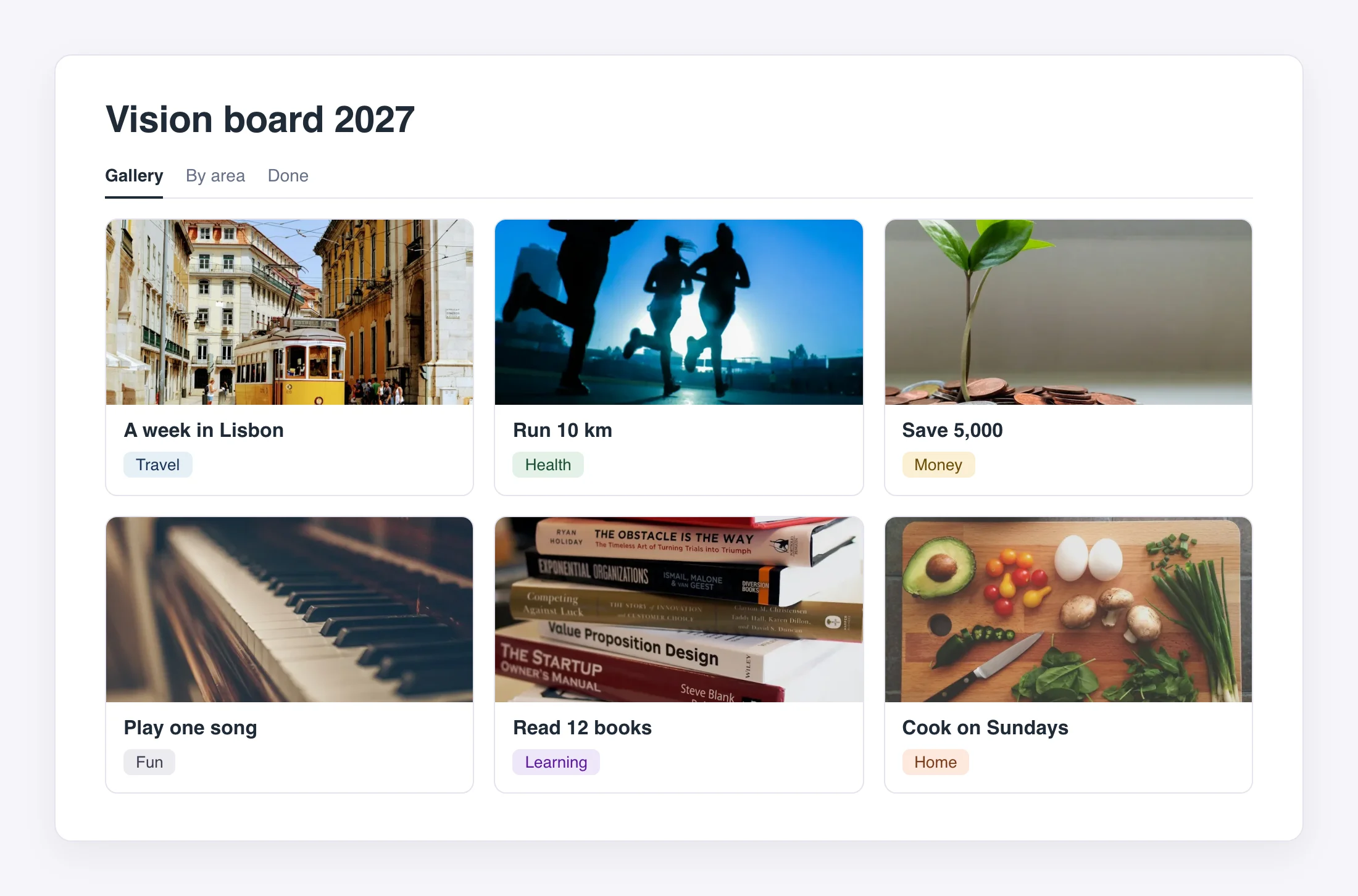
That is the whole board. Add a Select property such as "Area" (health, money, travel) if you want to group the cards. Most people already have a vision board template in mind when they search. A gallery like this is the same thing, and it takes about ten minutes.
What you give up: you cannot set an exact grid such as three by two, a card opens as a page when you click it, and you cannot put a caption over a photo.
A Notion vision board with a widget
The Vision Board widget shows your own photos in a grid you choose, from one photo up to 6 by 6, which is 36 photos. It fills the whole embed, so it matches whatever size you drag it to.
You can set:
- The space between photos, and whether corners are square or rounded.
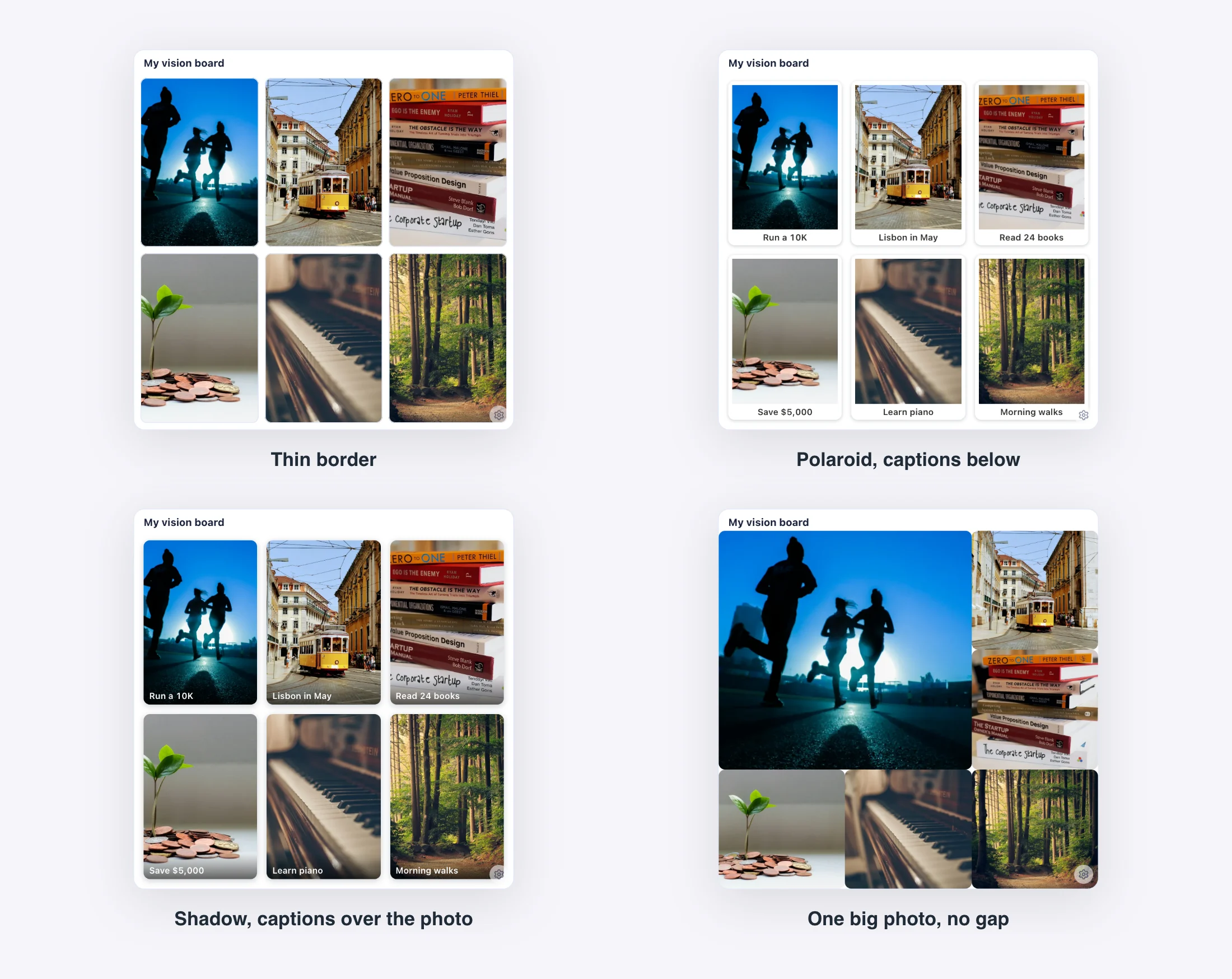
- Borders: none, thin, bold, a polaroid frame or a shadow.
- A caption on each photo, below it or over it, or no captions.
- The first photo at double size, if one goal matters most.
- Light, Dark or Auto.
Four of those settings on the same six photos:
To add it, buy the widget, click a tile to upload a photo or paste a link to an image, then copy your embed link. In Notion, type /embed and paste it. Photos are saved with your copy on our servers, so the board shows on every device you open the page on.
It costs $1.99 once, with no subscription. That is the US price, and other countries pay a local price. Pick it if you want a tidy grid and fixed captions without building a database. If the gallery already does what you need, skip it.
| Gallery database | Vision Board widget | |
|---|---|---|
| Cost | Free | $1.99 once |
| Setup | About ten minutes | Upload photos, paste one link |
| Grid | Notion decides, by card size | You choose, 1 by 1 up to 6 by 6 |
| Captions | The card title, under the photo | Below the photo, over it, or off |
| Notes on each goal | Yes, every card is a page | No |
| Clicking a photo | Opens the page | Nothing opens |
Other tools that make a good board
- Pinterest is the best place to collect images. Make a board there, then add the pictures that matter to your Notion page. It cannot hold your plans.
- Canva suits a collage you want to finish as one image. Export it and drop the file onto your Notion page. After that, changing one picture means going back to Canva.
- Notion's template gallery has many vision board pages you can duplicate. Browse the template gallery if you want a layout to start from.
Our widgets cover the part a picture cannot: numbers that change. Next to the board, a goal tracker fills as you save or finish things (see how to track a goal in Notion), and a year progress bar shows how much of 2027 is gone.
Both are free. The full New Year widget set has a countdown, a mood tracker and a reading tracker too. If you need pictures to fill the board, read our vision board ideas for 2027. To paste any of these in, follow the beginner guide to adding widgets to Notion.
Questions
Is there a free vision board widget? No. The Vision Board widget costs $1.99 once. The gallery steps above are free and use only Notion.
How many photos can the widget hold? Up to 36, in a grid of at most 6 by 6. If you make the grid smaller, the extra photos stay saved and come back when you make it bigger.
Can I use a vision board template? Yes. Duplicate one from Notion's template gallery, or build the gallery above. Both give you a normal page you can edit.
Does it work on my phone? Yes. Notion shows embeds in its phone app, and a gallery works there too.